
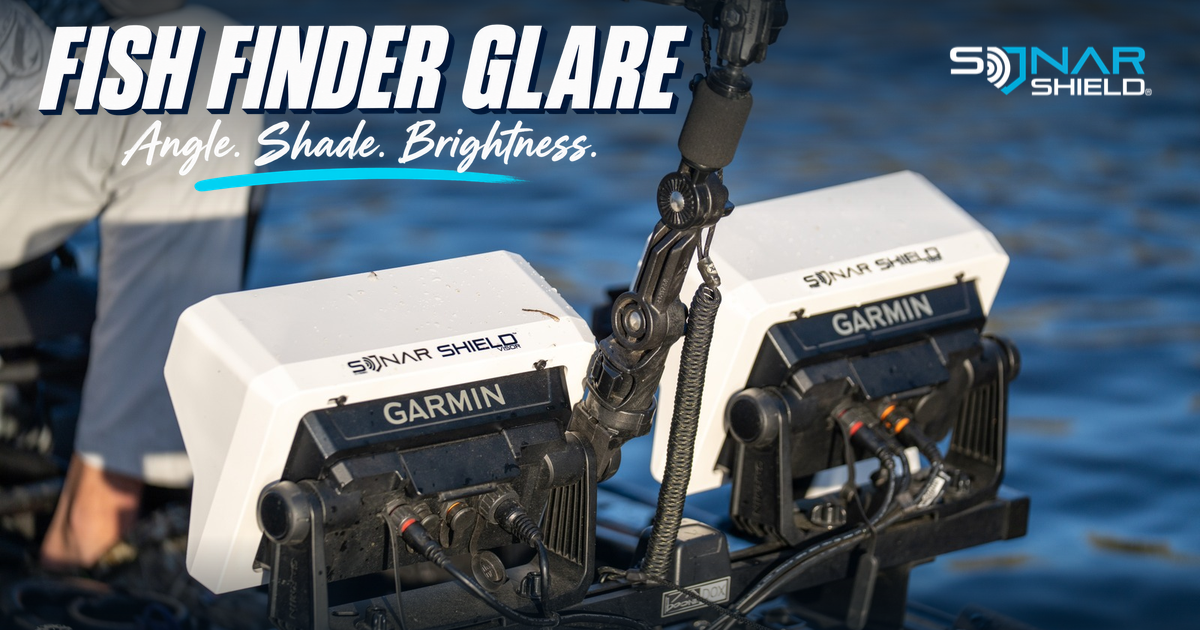
When a fish finder becomes difficult to read as the sun moves, pause before changing the sonar picture. First work out whether you are struggling with a reflection on the glass or with the information being displayed. Those are different observations, and a more precise description makes your next adjustment more useful.
Try this three-part comparison
This is Sonar Shield’s suggested observation routine, not a manufacturer preset. Make adjustments while safely stationary and follow the mounting instructions for your equipment.
- Check the viewing angle. Sit or stand where you normally fish. Look at a fixed menu label or chart detail, then make a small permitted tilt adjustment. Compare from the same position. If you must lean awkwardly to read the screen, note that before settling on the mount position.
- Compare with shade. Briefly shade the display without touching the screen or obstructing your view of the water. Observe whether the same detail becomes easier to read. A temporary shade comparison can help you decide whether a compatible visor is worth considering; it does not establish a performance guarantee.
- Adjust display brightness. Use the backlight or brightness control documented for your exact display. Compare one change at a time, keeping your viewing position consistent. There is no single percentage that suits every screen, sunlight angle and pair of sunglasses.
Keep the comparison honest
Choose one small target on the display and use it throughout the check. Changing the page, your position and the brightness together makes it hard to know what helped. Repeat the observation with the sunglasses you actually wear. If the result changes when the boat turns, record the direction of the light instead of assuming a permanent equipment problem.
Keep a short note: “Seated position; reflection across upper screen; easier to read after a small tilt.” That is more useful than “bad picture.” If labels remain easy to read but a sonar return is weak or cluttered, describe that separately and consult the appropriate sonar guide.
Where a visor fits
Sonar Shield’s Garmin ECHOMAP UHD and UHD2 9-inch visor listing describes a rear bolt-on visor for the listed 93sv models and compatibility with the OEM screen cover. It is intended to shade the display. Check the full listing for your exact device and mounting arrangement; the pictured rig is an example, not a universal compatibility claim.
After installation, confirm that controls, adjustment knobs and required connectors remain accessible. Check the view from your fishing position, not only while standing over the boat on the trailer. For a broader layout check, see our kayak fish finder placement guide.
What improved your view?
Share your display model and the change that helped most: angle, shade or brightness. A specific observation is more useful to another angler than a universal “best setting.” Keep serial numbers and personal details out of public comments.