
Shop the Sonar Shield H-Strap cable holder.
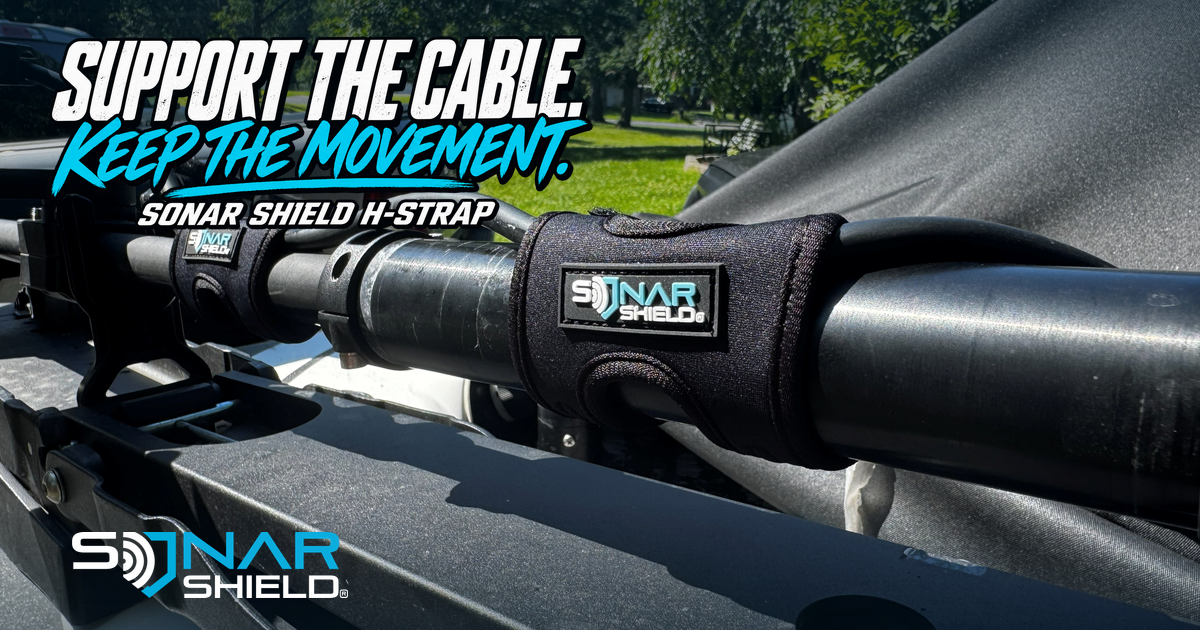
Your sonar cable is the connection between valuable equipment and the information on the screen. Giving it a deliberate route is a useful part of caring for that setup. The photograph here shows actual Sonar Shield H-Straps installed beside a trolling-motor shaft, with the cable supported alongside it.
Support should work with movement
The H-Strap product listing describes an adjustable cable holder for round surfaces up to 1.7 inches in outside diameter. That dimension belongs to the mounting surface; it is not a recommendation to compress a cable into a particular bend. Check the exact product details and your motor and transducer installation instructions before choosing attachment points.
Keep the cable's required movement in mind through the installation's permitted steering, stowing and deploying positions. A route that looks tidy in one position may need a different amount of slack in another. Follow the equipment manufacturers' guidance for cable routing, attachment and clearance.
Look at the whole path
- Begin at the connection. Identify where the cable leaves the device and which parts of the installation move.
- Check potential contact points. Look for hardware, hinges or edges along the route. Do not assume an accessory makes an unsuitable route acceptable.
- Support the intended path. Position compatible H-Straps as directed without forcing tight bends or trapping the cable.
- Recheck movement. With the equipment handled according to its instructions, confirm that normal movement has not introduced tension or a pinch point.
A reusable part of the setup
Reusable support can make adjustments more manageable when equipment changes. Revisit the route after installing a different transducer, altering the mount or moving a display. The aim is organized support that suits the equipment, rather than the tightest-looking arrangement.
The photograph documents one boat installation, not a universal routing diagram. We do not infer the owner's identity or claim an accessory prevents every kind of cable damage. Use it as a prompt to inspect your own route against the relevant instructions.
Explore H-Strap options and tell us which part of cable management you would like to see explained next.
Source: current Sonar Shield H-Strap listing, checked November 4, 2026. Photograph: Sonar Shield supplied library, H Strap/gt56 6.jpg. Original product, cable and physical branding pixels preserved.
Created with AI assistance using Sonar Shield's topic direction and research from the sources cited in this article.