
October 6, 2026 | By Gregg Smith
Humminbird and Minn Kota are coming together under the Minn Kota brand, with Humminbird continuing as Humminbird Imaging. For anglers looking at the electronics already mounted on their boats, the useful question is what that means for the next fishing trip, the next software update and the next purchase.
There is real owner news behind the new branding: current-product support continues, selected existing fish finders have a software upgrade path, and the launch introduces a broader connected system. There are also important distinctions between products launching now, equipment planned for early 2027, and features that require a specific compatible combination.
This independent Sonar Shield guide explains those distinctions using the manufacturer's announcement, owner FAQ, product information and October 6 software notes. It is separate from our regular product stories and from our individual software-update guides.
The announcement at a glance
In its October 6 announcement, Minn Kota brings fish finders, motors, sonar, mapping, anchors and the fishing app under one name. Humminbird Imaging supplies the sonar and imaging identity within that system. The launch includes X Series displays in five nominal sizes: 7, 9, 10, 12 and 16 inches. A Series displays, Minn Kota Live Sonar, Minn Kota 360 Imaging and additional QUEST motors are on the early-2027 roadmap.
The practical distinction: a brand transition does not change the model number or physical dimensions of equipment you already own. Keep using those exact identifiers when checking software, transducers, mounts, cables and protective accessories.
Is Humminbird disappearing—and is my unit obsolete?
The official Humminbird owner FAQ says the change does not alter the performance of products already owned. Existing equipment continues to be supported within its published requirements. Humminbird's technology carries forward as Humminbird Imaging.
That makes two separate questions worth asking. First, does your present setup still do what you need? Second, does your exact model qualify for a new feature? A working unit does not need to be replaced merely because a new name appears on the website. Equally, continuing support should not be interpreted as a promise that every historical model gains every new capability.
For example, the owner page explicitly names XPLORE, APEX and SOLIX G3 for the new fish-finder features through software. It also identifies MEGA Live 2 software updates and continued MEGA Live 2/MEGA 360 compatibility within the system. Those statements should not be generalized to every HELIX, every SOLIX generation or every transducer with a Humminbird badge.
What existing owners should check first
| Your equipment | What to check |
|---|---|
| XPLORE, APEX or SOLIX G3 | Exact model release notes, installed version and staged path to 7.400. |
| MEGA Live 2 | Transducer software 2.270, compatible display software and network configuration. |
| MEGA 360 or original MEGA Live | Published compatibility and accessory requirements; do not apply MEGA Live 2 instructions automatically. |
| Other or older Humminbird displays | Model-specific support and compatibility; no universal new-feature promise. |
| Minn Kota motor, remote and pedal | Controller generation and each component's software, not only the motor's familiar family name. |
A useful first step is a phone photo of each model label and each software-information screen. Add a note identifying the sonar module, transducer and remote. This small equipment inventory makes an owner-support conversation much more productive than asking whether an unspecified “Humminbird and Minn Kota setup” will work.
X Series fish finders: what is actually new?
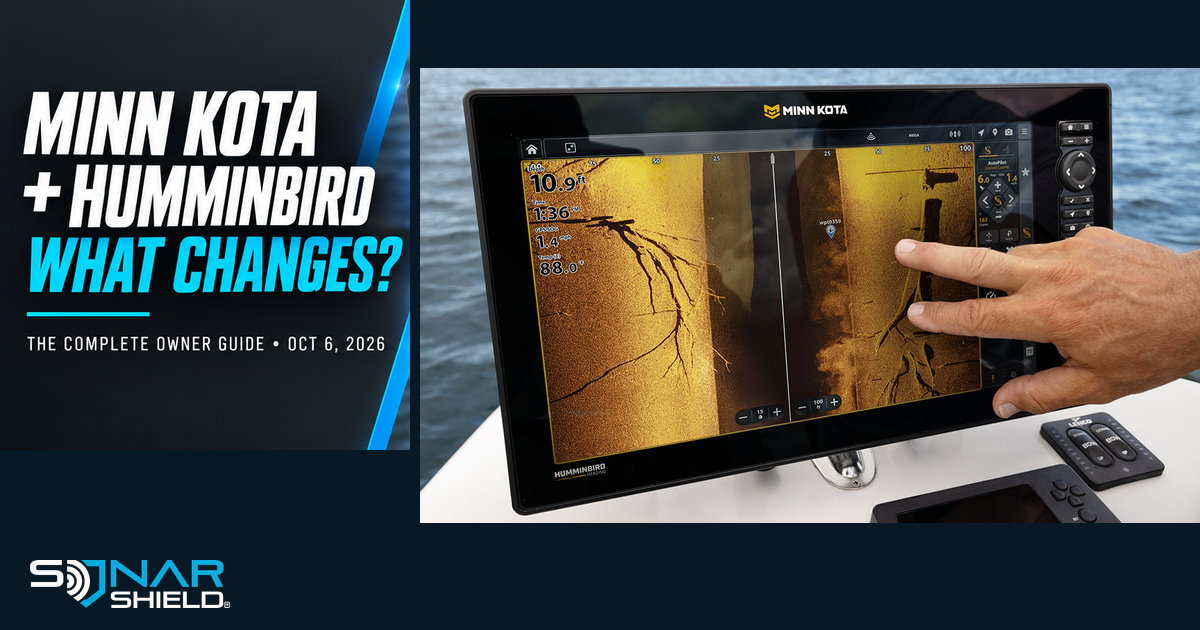
The official X Series product page presents a touchscreen-and-keypad display platform with Humminbird Imaging, mapping, navigation and integration controls. The selected X16 CMSI+ configuration we checked was item 412400-1VX. Its specification table lists a 15.6-inch diagonal display, 1920 × 1080 resolution, dual microSD slots and built-in NMEA 2000 networking.
The same selected configuration was listed at $3,999.99 and marked out of stock online when checked on October 6. That is a snapshot for that configuration—not a price for the entire range or a statement about every dealer's stock. Select the screen size and transducer option before comparing packages.
Several details deserve more attention than a screen-size headline. The page distinguishes optional live-sonar equipment from standard sonar. It also retains Ethernet networking for relevant connections; the wireless motor link does not make every sonar installation cable-free. For an in-dash installation, the page calls for an external GPS antenna, sold separately. These are the kinds of details to resolve before ordering mounting hardware or cutting a panel.
The product page also describes Wi-Fi software delivery, waypoint management through the app and screen-media tools. These can make maintaining and reviewing a setup more convenient, but they are different benefits from sonar resolution or fish-catching performance. Evaluate each against the way you actually fish.
Draw & Navigate: a route drawn on the screen
According to Minn Kota's navigation overview, Draw & Navigate lets an angler draw a path on the fish finder and have a compatible trolling motor follow it. Think of a controlled pass through an area you have already chosen, with boat positioning and the chart display working together.
Our practical take: this could be useful when repeating a deliberate presentation line. Decide where you want the boat to travel relative to the structure, rather than simply drawing through the waypoint itself. A brush-pile waypoint marks something you may want to cast toward; it is not automatically the best place for the boat to pass.
That fishing example is Sonar Shield's interpretation, not a report of our own testing. It also does not establish that the feature plans a safe route around every obstruction. Use the operating instructions for the installed system and remain responsible for the route.
Intelligent Depth Control and enhanced Spot-Lock
The navigation page describes Intelligent Depth Control as a depth-monitoring feature that alerts the angler and can engage Spot-Lock and deploy compatible shallow-water anchors. The available response depends on the installed equipment and configuration. A boat without the relevant anchor hardware cannot acquire it through an app update.
Before a first outing with new controls, learn where the feature is configured and how to stop or override its action. Check the actual depth source and setup instructions. Learning that at the dock or in appropriate open water is easier than doing it during an unfamiliar approach.
Minn Kota also advertises an up to 50% tighter hold for enhanced Spot-Lock compared with previous Minn Kota motor models. This is the manufacturer's qualified performance claim. It is not our independent measurement, a guarantee in every condition or a reason to assume an older motor gets identical performance from software alone.
The app changes from One-Boat Network to Minn Kota Fishing
The owner FAQ says current One-Boat Network app users will be prompted to update to the Minn Kota Fishing App. Existing accounts do not require a new account, and the FAQ says app settings remain. It also says owners can choose not to update the app.
The new app overview describes mapping, waypoint work, control of compatible motors and shallow-water anchors, software updates and support. That creates an opportunity to do more preparation away from the boat: organize a waypoint list, review planned areas and arrive with a clearer plan.
Do not confuse app-settings continuity with fish-finder settings continuity. The 7.400 display notes separately state that defaults are restored and settings from older software cannot be imported into 7.400 or newer. These are different parts of the system with different migration rules.
Maps: what happens to LakeMaster and CoastMaster?
The owner FAQ says the mapping expertise behind LakeMaster and CoastMaster continues within Minn Kota Maps, while LakeMaster and CoastMaster products continue to be offered for existing regions. The app describes freshwater and coastal coverage, including LakeMaster data in supported freshwater areas.
For an owner, coverage and compatibility remain the useful questions. Identify your actual card or digital product, its region and the intended display. Do not infer that a renamed mapping family means every old card works in every new display, that all premium coverage is included, or that a new screen adds data for a lake your package does not cover.
Keep a record of the maps you currently use before changing equipment. When comparing an upgrade, ask what is included with the exact package, what needs a separate purchase and how your saved fishing information will be handled.
Software 7.400: plan the transition before pressing Update
The October 6 release notes for XPLORE, APEX and SOLIX G3 identify version 7.400. They describe the new navigation and wireless controls along with display, sonar, interface and reliability changes.
For applicable older software, the documented sequence is 6.090 → 6.120 → 7.400. The notes require 6.090 before 6.120 and 6.120 before 7.400. Reconnect to Wi-Fi between stages when using wireless updates. Do not assume the newest file can simply replace every intermediate step.
The published Wi-Fi route is Home → Network + Devices → Wi-Fi Updates to connect, then Network + Updates → Check for Updates. Follow the exact-model prompts and keep power on until completion. Because defaults are restored and old settings cannot be imported, record the settings and layout choices you want to recreate beforehand.
There is a launch-day documentation discrepancy worth making explicit. The display prerequisite lists name Advanced GPS package 2.780/controller 2.750, while the dedicated motor release page identifies package 2.770/controller 2.760. We cannot verify that these are interchangeable. Consult the current exact-model instructions or manufacturer support for a configuration affected by that mismatch rather than selecting a file based on this article.
MEGA Live 2 and existing sonar equipment
The separate MEGA Live 2 version 2.270 notes describe multi-transducer synchronization and improvements involving down mode, hard returns, ice-fishing hard-bottom rings and target tracking. The notes recommend compatible display software 7.400 or later.
That is useful software news for existing owners, separate from the future product named Minn Kota Live Sonar. A future product announcement and an update for your current transducer are not the same thing. Check the exact hardware listed in the update notes before treating either as your upgrade path.
Warranty and repair: what carries forward?
The owner FAQ says existing warranties remain governed by the terms supplied with the product. Retain your purchase record and use official support for model-specific questions. It also says repairs continue, with availability depending on model and age, and identifies the Alabama factory as the only authorized U.S. service center for Humminbird products.
For readers, this means the rebrand itself is not a reason to discard warranty documents or assume support has ended. It is also not a new blanket lifetime-service promise. Keep the receipt, serial number and original terms together so a future inquiry can be answered for your actual unit.
What is coming in early 2027?
The announced roadmap includes A Series fish finders, Minn Kota Live Sonar, Minn Kota 360 Imaging, Terrova QUEST and Riptide Terrova QUEST. These should be discussed as planned early-2027 additions, not as products we verified in stock today. Final model specifications, availability and compatibility should be checked when their own product documentation is available.
If one of those categories is central to your next boat build, write down the specific question you need answered: transducer compatibility, mounting dimensions, networking, motor control or power requirements. Waiting for the relevant detail is more useful than assuming that every product under the same brand connects in the same way.
A practical owner plan for this week
- Inventory the setup. Record display, sonar, motor-controller and remote models and installed versions.
- Choose the benefit you actually want. A software fix, a navigation tool and a larger display are different decisions.
- Read each required update path. Include prerequisites and accessory components. Resolve the published motor-version mismatch where relevant.
- Record your preferences. Photograph useful layouts and settings before a display update that restores defaults.
- Allow time to finish and check. Verify installed versions, reconnect equipment as instructed and learn the changed controls before the next planned fishing day.
- Check physical fit separately. Software compatibility does not establish the fit of a cover, visor or mount.
Where Sonar Shield fits
Your existing equipment can remain a useful part of the boat while this transition unfolds. Browse Sonar Shield covers, visors and accessories by your exact model and intended use. For familiar examples, read our MEGA 360 travel-cover guide.
We are not claiming that an existing Humminbird cover or visor fits a new X Series housing. Select an accessory only when its listing supports your exact equipment. This article is independent reporting and owner guidance from Sonar Shield, not a Johnson Outdoors announcement or a claim of manufacturer affiliation.
Our view: judge the transition by useful answers
The most valuable part of today's news for an existing owner may be the opportunity to keep familiar hardware and gain supported capabilities. For a new buyer, it may be a more coordinated way to choose the display, motor and navigation tools together. Those benefits deserve attention alongside the details: installation, staged software, compatibility and support.
Start with the boat you have and the fishing problem you want to solve. Then use the official model information to decide what changes. Which part matters most to your setup: keeping your current display, wireless motor control, the new X Series sizes or the 2027 sonar roadmap?
Sources checked October 6, 2026: the linked Minn Kota announcement, Humminbird owner FAQ, X Series specifications, navigation/app pages and exact software release notes. Official product imagery is credited to Minn Kota/Johnson Outdoors. Features, stock and documentation can change; use the linked current instructions for your model.