
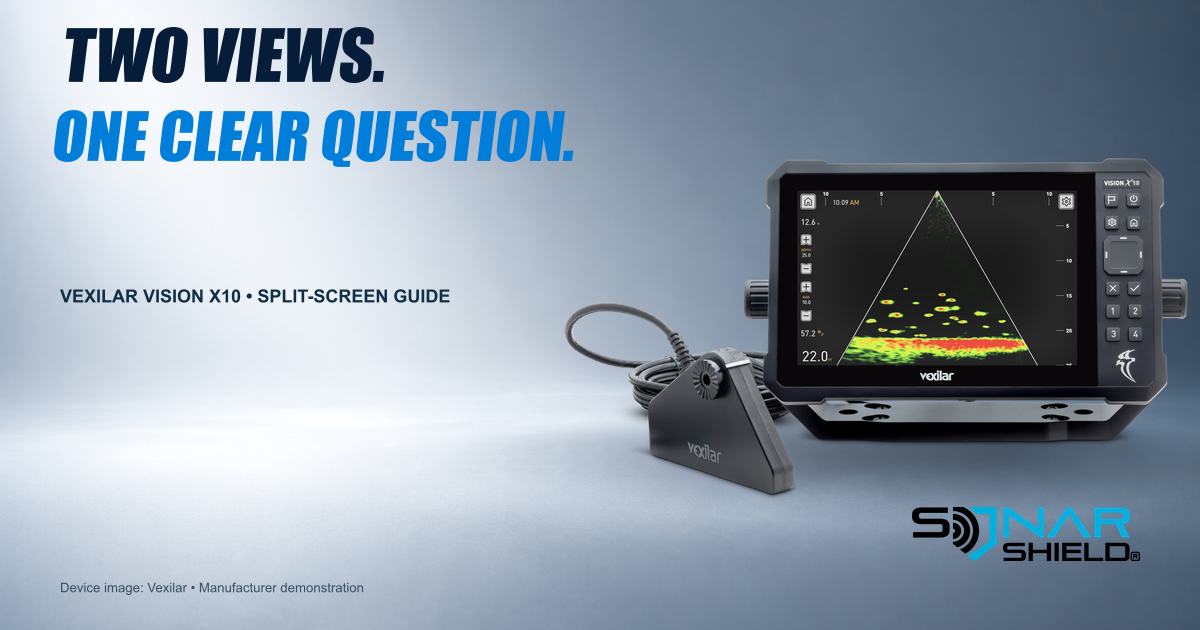
The Vexilar Vision X10 offers several ways to see sonar information. A split screen becomes more useful when you know why each pane is there. Start with a question you want answered, rather than adding views simply because the display has room.
What Vexilar documents
Vexilar’s current product information lists customizable vertical and horizontal split-screen layouts. It also identifies Forward and Down live views, conventional 2D sonar with A-Scope and a digital flasher with adjustable Zoom Scope. These are documented capabilities, not features newly released today.
The display has touchscreen input and physical controls. Available view combinations and the exact controls you see should be checked against the current manual and your installed software. This article does not invent menu paths or numeric presets.
Begin with one familiar view
Our suggested learning routine starts with the view you can already interpret. Establish what you are following: a lure, a bottom reference or movement within the displayed area. Note your depth, viewing direction, range and relevant starting settings.
Then ask what extra information a second pane could add. For example, do you want another way to follow activity through time, or a different representation of the area you are observing? Pick a supported combination that addresses that question. Do not assume every named mode can be combined with every other mode.
Decide where the extra pane helps
Try the supported vertical and horizontal arrangements in a deliberate comparison. Keep the other controls stable while you compare. Look at the room available for labels and the information you actually need to see. A busier display is not automatically a more informative one.
- State the question: write down what the second view should make easier.
- Record the starting point: view, range and other settings that affect the comparison.
- Change the layout: use the current manual’s supported controls.
- Observe the difference: decide what became easier or harder to follow.
- Keep or simplify: return to one view if the second is not adding useful context.
Keep observation separate from interpretation
A mark is something to investigate in context. The presence of two panes does not create two independent confirmations of a fish’s identity or size. Label what you can see before deciding what it means.
This is an original Sonar Shield practice routine, not a Vexilar preset, a performance test or a promise of more catches. It is intended to make your own comparisons easier to repeat.
Check software without inventing an update
Vexilar’s FAQ describes a Wi-Fi software-check route and on-unit release notes when an update is available. Use those notes to understand an actual update. We have not verified a new X10 firmware version for this article and are not treating a settings guide as a release alert.
For broader equipment protection, browse Sonar Shield accessories. No X10-specific cover compatibility is claimed here.
Source and device photo: Vexilar Vision X10 product page and FAQ, checked October 29, 2026. Manufacturer demonstration image; not a Sonar Shield field test. No independent endorsement is implied.
Created with AI assistance using Sonar Shield's topic direction and research from the sources cited in this article.